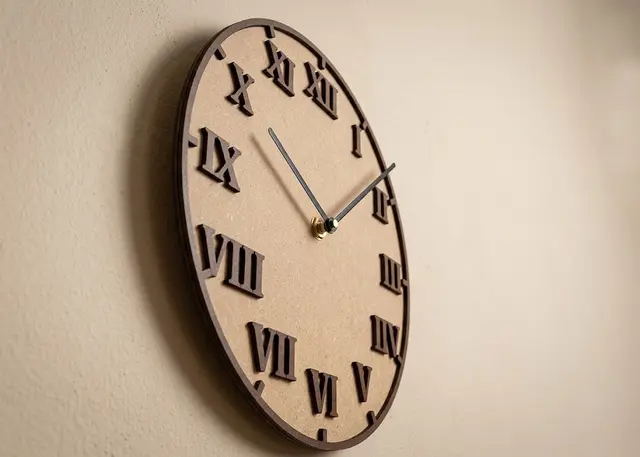
Clock face Pro
The face of a wall clock, with Arabic or Roman numerals, hour marks and minute marks.
Arabic or Roman numerals, upright or rotated, hour and minute marks, and the spindle hole to fit your movement.
How it cuts
The spindle hole is the one measurement you cannot guess. It is the shaft of the clock movement: measure yours with a caliper before cutting. Common kits use between 7 and 10 mm, but they vary.
Engraved, cut out or two layers: they are three different clocks. Engraved, the numerals are marked on the surface and the disc comes out whole. Cut out, they go through the wood and you see the wall behind — it looks great against a coloured background, but the centre of the "0" falls out, and the template tells you how many small pieces will come loose. With two layers the disc comes out plain and the numerals are glued on top one by one, so you can paint them or cut them in another wood.
The ring is what makes the marks layer possible. Each mark on its own is a piece a millimetre wide, and there are sixty minute ones: they do not get glued, they get lost. The rim catches them all and turns them into a single piece that lays down in one go, aligned by itself.
Four numerals read just as well. The 12, the 3, the 6 and the 9 are the ones you look at first; the hour marks take care of the rest. And in two layers the difference is large: five pieces to glue instead of fifteen.
The Roman numerals use IIII, not IV. It is not an oversight: it is what clockmakers have done for centuries, because it balances the weight of the VIII opposite it. And cut out they give no trouble, because no Roman numeral has holes.
The minute marks skip the hours. Every five minutes lands exactly where an hour mark goes; drawing both on top of each other leaves a fat mark with a step in it. Turn the hour ones off and all sixty come back.
Frequently asked questions
Clock face: what size can it be?
Every measurement is typed in millimetres and the drawing is redone as you type: diameter, from 40 to 1200 mm, spindle, from 1 to 40 mm and thickness, from 0.5 to 20 mm. Everything else — joints, dividers, holes — is worked out from those measurements.
Does it work for MDF, acrylic or plywood?
For any sheet your laser can cut: MDF, plywood, acrylic or thick card. What matters is the thickness, adjustable from 0.5 to 20 mm, and the kerf — what the beam eats away: the joints are drawn from those two numbers, so they push together without sanding.
What format does it download in?
SVG or DXF, your choice, in millimetres and at 1:1 scale. It opens as is in LightBurn, RDWorks, LaserGRBL, Inkscape, Illustrator or CorelDRAW, with nothing to scale or convert. Cutting and engraving come on separate named layers — “Cut” in red and “Engrave” in blue — so you set the power for each without separating anything by hand.
Do I have to pay to use it?
Clock face is free to use and adjust: you can see exactly how your design will come out before deciding anything. Downloading the file needs the Pro plan, or one of the trial downloads that come with the free account.
Others you might need
-
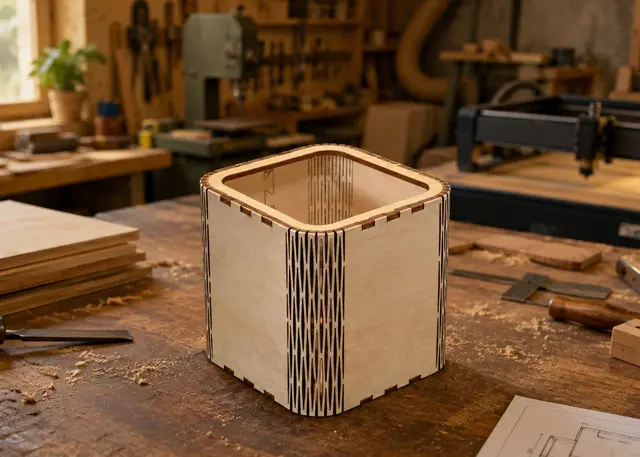 Curved corner box A box with rounded walls: the wall bends on its own thanks to a living hinge cut into the MDF.
 -
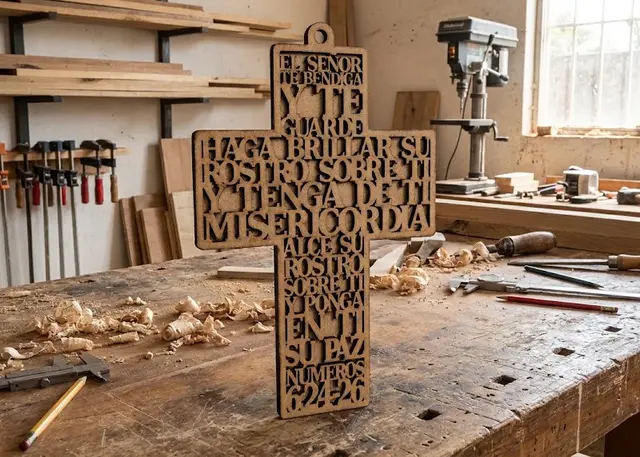 Cross with text A hanging cross with a prayer or a verse cut in negative: every row runs edge to edge across its section.
 -
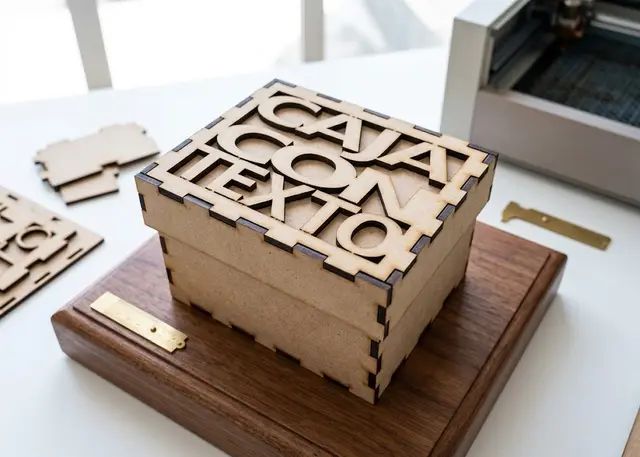 Finger joint box A made-to-measure box for laser cutting in MDF or acrylic, with an optional lid and dividers.