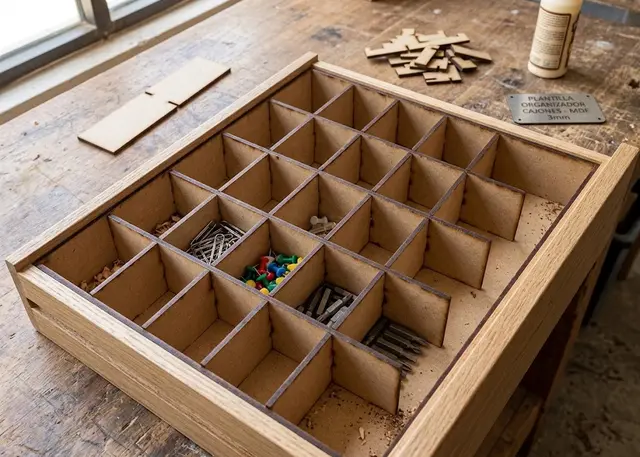
Drawer organizer Pro
Made-to-measure dividers for the inside of a drawer: they slot into each other and hold themselves up, no glue needed.
Measure the drawer and the dividers come out. Compartments of different sizes, half lap joints.
How it goes together
There is no box: the walls are the drawer’s own. Only the dividers are cut, they slot into each other and rest against the drawer. No glue and no screws, so they can be lifted out to clean or rearranged differently.
They join with half lap slots. Every crossing has a slot half the height: the long dividers slotted from the top and the short ones from the bottom. You drop one onto the other and they lock flush. If you try it the other way round they will not go: check the 2D view to see which way each slot opens.
Measure the thickness with a caliper, do not trust the nominal figure. 3 mm MDF usually measures 2.7 and 5 mm is nearer 4.8. The slot is cut to whatever you enter: with the nominal figure, the dividers wobble.
The compartments can be different sizes. Instead of a number, write the measurements separated by spaces — "40 40 120" — and they come out that size. That is what works for a real drawer: one long one for pens and two small ones for clips. They come out at exactly that size: whatever is left over becomes one more compartment at the end, and the template tells you how big it ended up.
Frequently asked questions
Drawer organizer: what size can it be?
Every measurement is typed in millimetres and the drawing is redone as you type: width, from 30 to 2000 mm, depth, from 30 to 2000 mm and height, from 10 to 400 mm. Everything else — joints, dividers, holes — is worked out from those measurements.
Does it work for MDF, acrylic or plywood?
For any sheet your laser can cut: MDF, plywood, acrylic or thick card. What matters is the thickness, adjustable from 1 to 20 mm, and the kerf — what the beam eats away: the joints are drawn from those two numbers, so they push together without sanding.
What format does it download in?
SVG or DXF, your choice, in millimetres and at 1:1 scale. It opens as is in LightBurn, RDWorks, LaserGRBL, Inkscape, Illustrator or CorelDRAW, with nothing to scale or convert. Cutting and engraving come on separate named layers — “Cut” in red and “Engrave” in blue — so you set the power for each without separating anything by hand.
Do I have to pay to use it?
Drawer organizer is free to use and adjust: you can see exactly how your design will come out before deciding anything. Downloading the file needs the Pro plan, or one of the trial downloads that come with the free account.
Others you might need
-
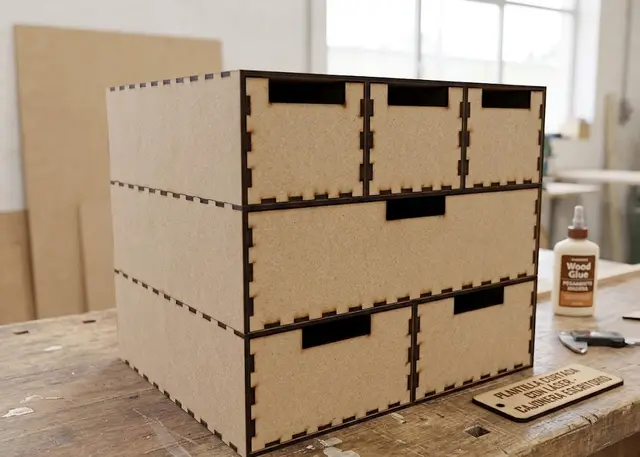 Desk drawer unit A made-to-measure drawer unit: you pick how many rows, how tall each one is and how many drawers fit in it.
 -
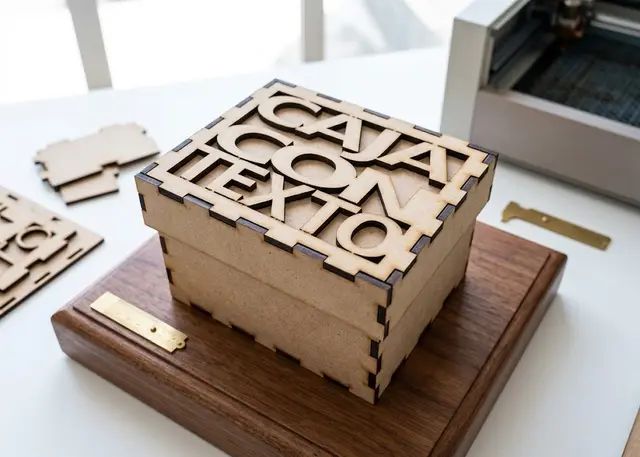 Finger joint box A made-to-measure box for laser cutting in MDF or acrylic, with an optional lid and dividers.
 -
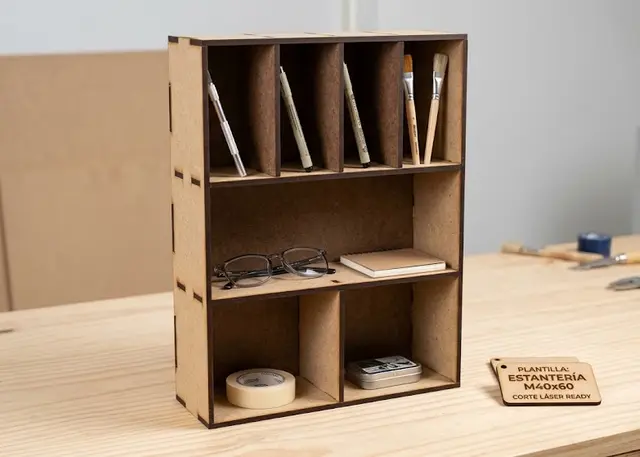 Shelving unit A made-to-measure shelving unit: you pick how many shelves, how tall each one is and how many bays it splits into.